Settings you can find
Search supported add-on settings, inspect saved values and defaults, and edit permitted settings with backups.
Free · Open source · Preview
Search add-on settings, trace playback problems and restore configuration backups on your phone or computer.
Kodi Manager runs inside Kodi. Its dashboard works on your home network; an AI assistant is optional. The project is free under the MIT license.
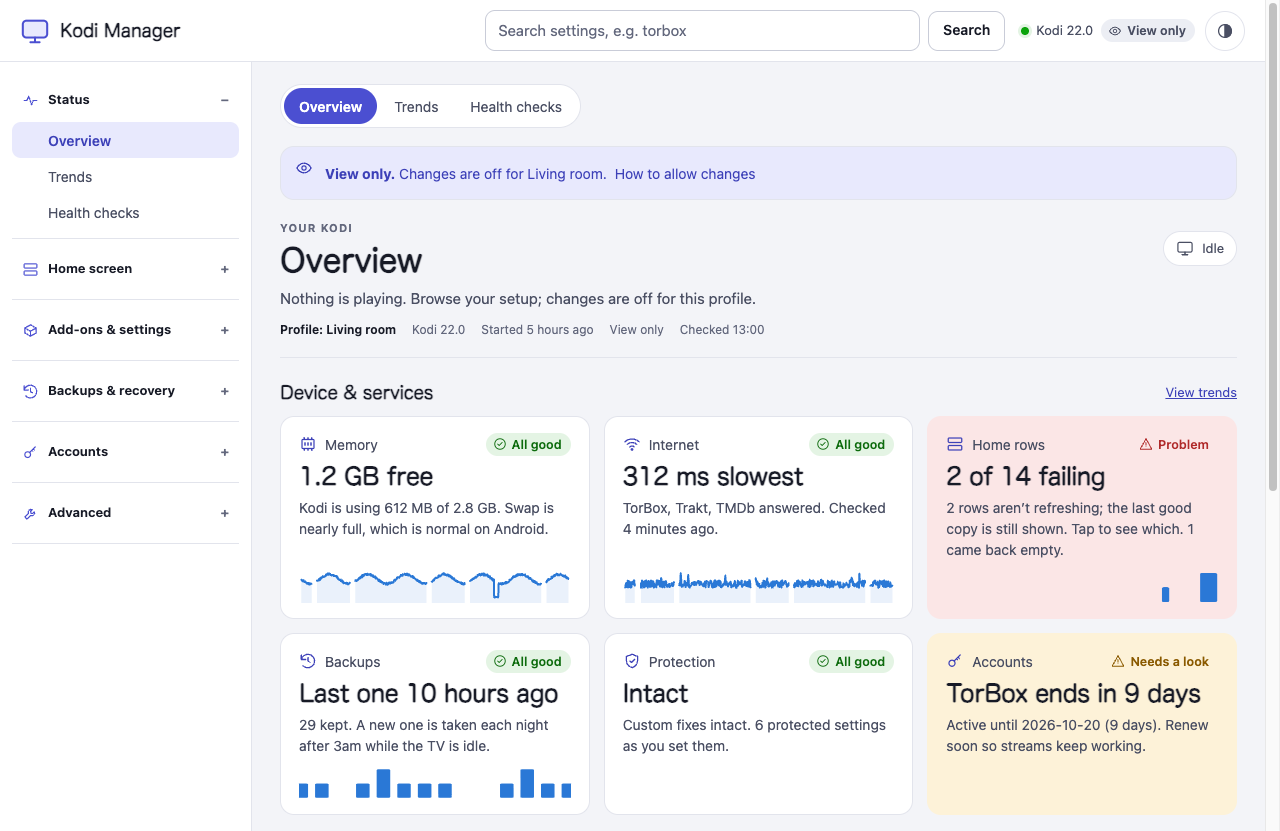
Search supported add-on settings, inspect saved values and defaults, and edit permitted settings with backups.
Inspect the path from skin and metadata helper to the selected player, alongside connection checks and masked diagnostic history.
Create configuration checkpoints and restore with undo backups. Optional home-layout edits require reviewed Bingie and Skin Shortcuts sources.
Writes start off. Cached home-screen rows are optional and need Kodi 20+. General inspection works across skins; editing depends on supported add-ons and access settings.
Add this source in Kodi → Settings → File manager → Add source:
https://glasgowm148.github.io/kodi-manager/Keep Kodi running. Open the displayed address on your phone or computer and sign in with that token. Updates follow Kodi's update settings. Full menu instructions and connection help.
The dashboard uses plain HTTP. Use a trusted LAN and keep the token private. This installs the public service, without household configurations or third-party patches.
Choose a remote, a web interface or a maintenance dashboard by the task you need to do.
Find a setting on your phone or computer, check its scope and make a reversible change.
Use profile-local configuration checkpoints, understand undo and know what a backup leaves out.
nvidia-MCP connects a compatible local MCP assistant to Kodi and the TV. Use Kodi Manager alone for browser maintenance, or connect the two for supported settings and diagnostics.
Copy the guided setup prompt for both projects. The agent handles computer setup while you approve TV permissions and keep credentials private.